
Troubleshooting

Where to find error details, common issues and their solutions, and where to get help.
Where to Find Errors
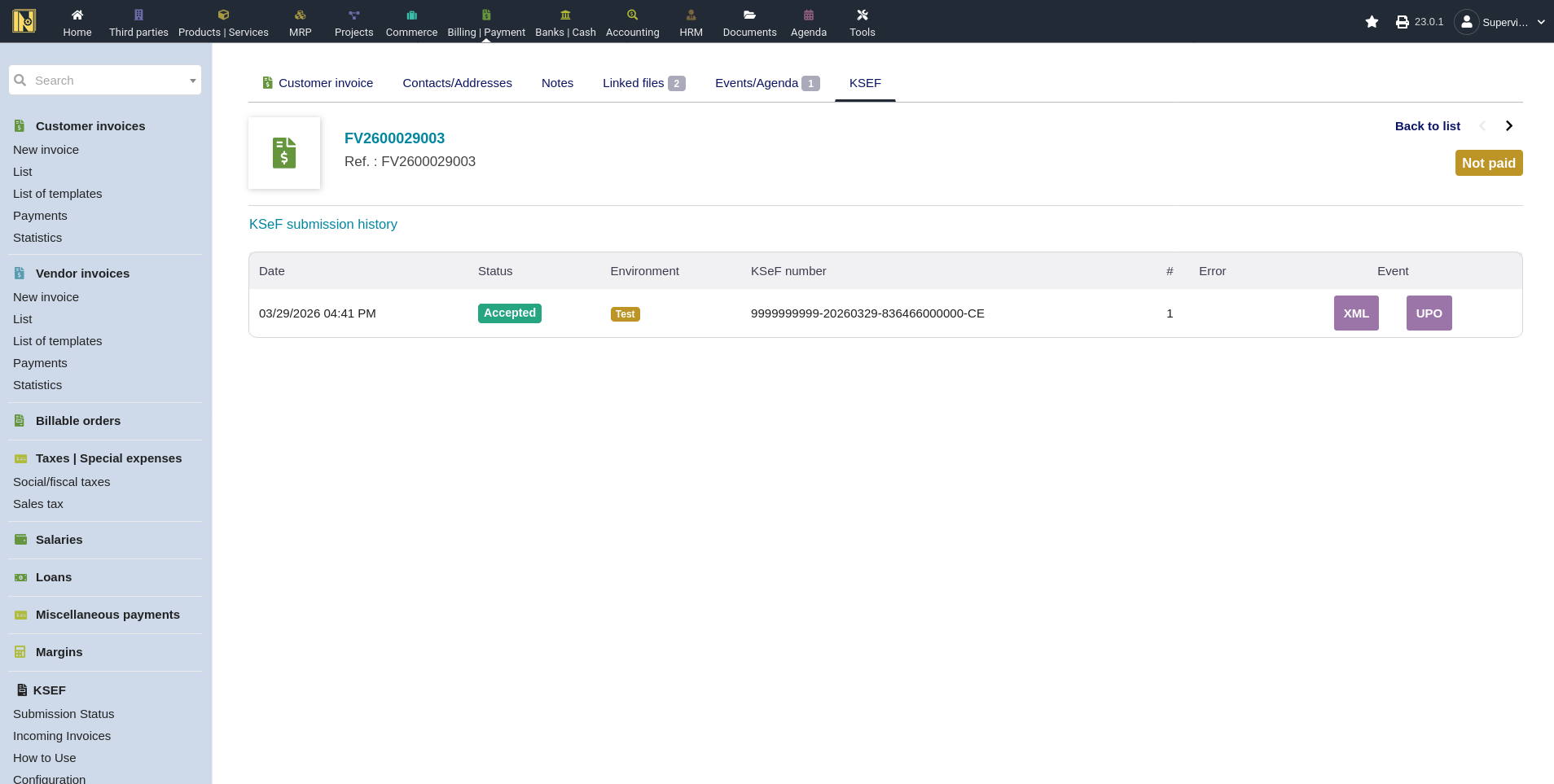
KSeF Tab on Individual Invoices - Every submitted invoice has a KSeF tab showing the full submission history - each attempt with its timestamp, status, error code, and error message. If a submission failed or was rejected, this is the first place to look. The error details are specific to that invoice. They'll tell you exactly what went wrong - XML validation issue, authentication failure, duplicate number, and so on.
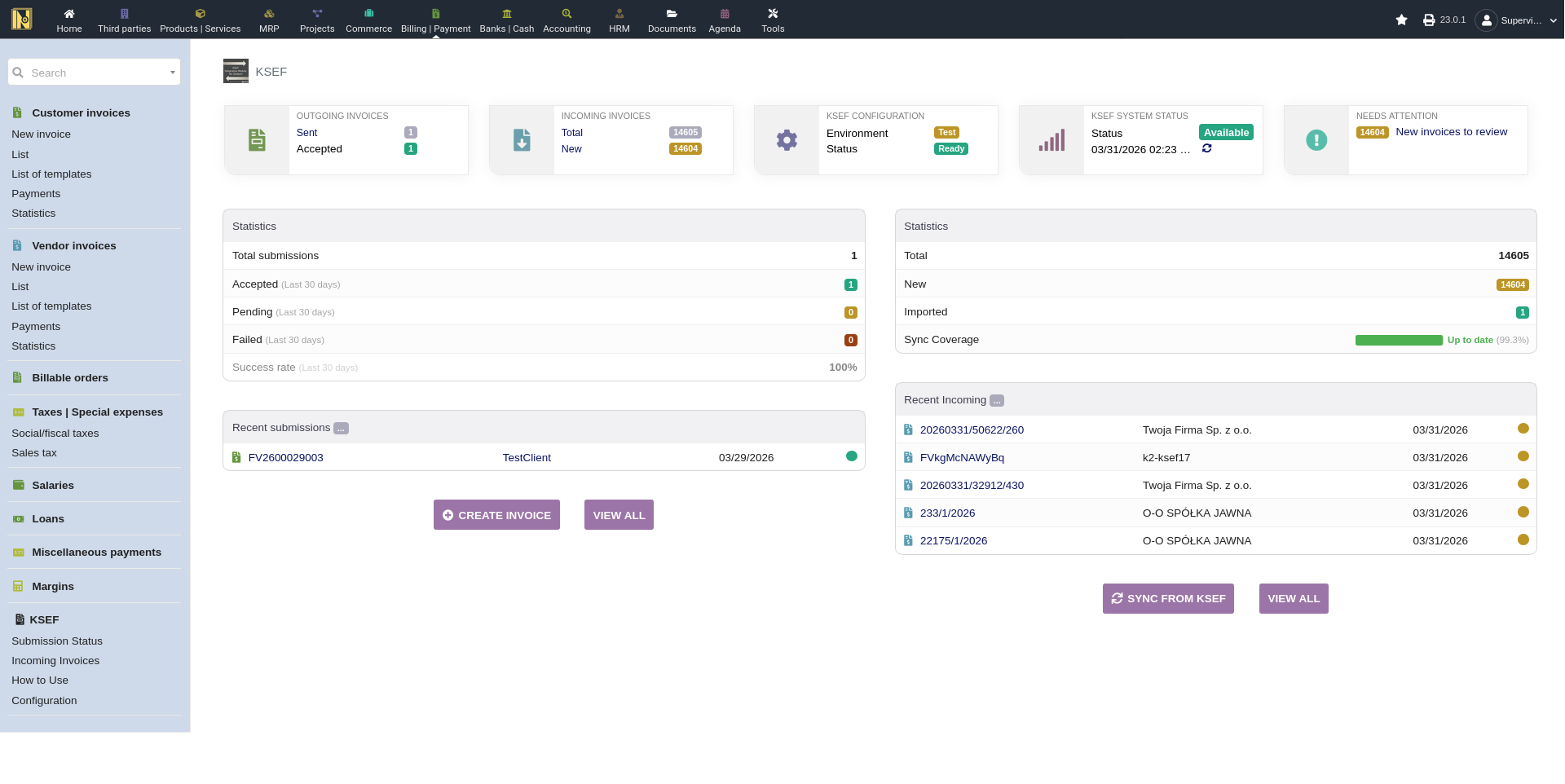
Status Page - The Status page (accessible from the KSeF menu) shows submissions across all invoices. It's particularly useful for spotting patterns - the "common errors" section aggregates the most frequent error codes from the last 30 days. If the same error appears across multiple invoices, it's almost certainly a configuration issue. Fix the configuration and the errors stop. For more on the Status page, see Automation & Extra Features.
Dolibarr Logs and PHP Logs - For deeper debugging, Dolibarr's system logs or PHPs logs may contain additional detail - especially for connection-level issues, migration failures, or unexpected PHP errors. Check your Dolibarr log directory or download them from the Debug Logs module if enabled.
About Page System Requirements Checker - The module's About page (under the KSeF Configuration tabs) has a diagnostic table that checks every dependency and shows green/red for each: PHP version, OpenSSL, cURL, DOM, mbstring, JSON, and Zip extensions, the phpseclib library, TCPDF with 2D barcode support, Barcode and Multicurrency modules, NIP configuration, authentication status (with certificate expiry dates if applicable), offline certificate status, current environment, and CSRF protection. If something isn't working, this page helps confirm the basics are at least correct.
Common Issues
Authentication Failed
Symptoms: HTTP 403 errors, "authentication failed" messages, submissions rejected immediately.
Most likely cause: missing permissions. This is the single most common issue. Your token or certificate may be perfectly valid for logging into the KSeF portal, but that doesn't mean it has permissions to send or receive invoices.
Fix: Log into the KSeF portal for your environment, go to "Uprawnienia" (permissions), and verify your credentials have explicit permissions for uploading and downloading invoices. This must be configured separately from authentication - it's not automatic.
Other causes:
Token or certificate has expired - check the expiry date on the About page
Wrong environment - test credentials against demo or production API, or vice versa
Duplicate Invoice Number (Error 440)
Symptoms: Submission rejected with error code 440, message about duplicate invoice number.
Cause: An invoice with that number already exists in KSeF for your NIP. This happens frequently in Test and Demo because data persists between sessions - if you submitted "FV/2026/001" yesterday, you can't submit it again today.
Fix: Change the invoice number in Dolibarr and try again. In production this is rare since your numbering sequence naturally produces unique numbers, but it can happen if you reset your numbering or restore from a backup.
NBP Exchange Rate Missing
Symptoms: The KSeF submission button is disabled or greyed out on a foreign currency invoice. A message about missing exchange rate appears.
Cause: Foreign currency invoices require an NBP exchange rate before submission, and it hasn't been fetched yet.
Fix: Click the button on the invoice page to fetch the NBP rate. The module queries the NBP API for the rate from the last working day before the invoice date. Once fetched, the submission button becomes active. If the NBP API is temporarily unavailable, try again later - rate tables are usually published by early afternoon on working days. For more on foreign currency handling, see Sending Invoices.
Connection Timeout
Symptoms: Submission appears to hang, then fails with a timeout error (for example "Curl error: Operation timed out after X milliseconds").
Cause: The KSeF API didn't respond within the allowed time. This can happen during high-traffic periods or maintenance windows. Check the KSeF status banner on the index page or invoice page - if it shows an outage or planned maintenance, that's your answer.
Fix: The default connection timeout is 7 seconds. If KSeF is just slow rather than down, increase it - go to Setup -> Other Settings and raise the KSEF_TIMEOUT value (for example to 15). Note that the submission may still be processing on the KSeF side even after a timeout, so check the submission status or retry before assuming it failed.
XML Validation Errors
Symptoms: Submission rejected with a validation error, but KSeF doesn't tell you which field failed.
Cause: The generated FA(3) XML doesn't conform to the KSeF schema. This can happen with unusual invoice configurations, missing required fields, or edge cases the FA(3) builder doesn't handle yet.
Debugging steps:
1. Download the submitted XML from the KSeF tab on the invoice
2. Download the FA(3) schema (schemat_FA(3)_v1-0E.xsd) from the KSeF documentation on GitHub
3. Validate the XML against the schema with xmllint - in the terminal it can be run with the command xmllint --schema "schemat_FA(3)_v1-0E.xsd" your_invoice.xml
4. The tool will tell you exactly which element or attribute failed
Most common issue is a missing or invalid NIP for the buyer or invalid GTIN codes (GTIN option enabled but barcodes aren't valid GTIN/EAN).
Incoming Sync Returns HTTP 403
Symptoms: Clicking "Synchronize with KSeF" fails with HTTP 403.
Cause: Same as authentication failures for sending - your credentials don't have download permissions.
Fix: Check "Uprawnienia" in the KSeF portal and make sure download/receive permissions are configured. This was the very first issue reported by a user in the community, and it's always the same fix.
Correction Invoice Can't Be Imported
Symptoms: Trying to import a correction invoice shows a blocking error about the original invoice.
Cause: The module requires the original invoice to be imported first so the correction can be linked to it in Dolibarr.
Fix: Import the original invoice first, then the correction. The blocking message tells you which invoice is needed. If the correction references its own KSeF number instead of the original's (a common data error from some suppliers), the module warns you. In that case the correction can't be automatically linked - you may need to handle the association manually. For more on correction importing, see Receiving & Importing Invoices.
Invoice Stuck in Pending
Symptoms: Invoice was submitted but status never changes from Pending.
Cause: The status check either hasn't run yet, or the response from KSeF was lost.
Fix: If the "Check Submission Status" scheduled job is configured, it'll pick this up automatically. Otherwise, check the KSeF portal directly using the reference number from the KSeF tab. If the portal shows it as accepted, the module just needs a status refresh - the cron job or a manual check should resolve it.
Incoming Sync Gets Stuck
Symptoms: "Synchronize with KSeF" shows a spinner that never completes, or it always says "already in progress" even though it hasn't run recently.
Cause: A previous sync was interrupted (server restart, PHP timeout, network disruption) and the sync state is stuck.
Fix: On the incoming invoices list page when a sync fails, a "Reset and retry" button appears to clear the stuck fetch state. If that doesn't help, there's an admin-only "Reset sync state" action that resets the sync high-water mark back to 31 Jan 2026 (the day before KSeF went live). This causes the next sync to re-check the full date range, but won't create duplicates since the module skips invoices already downloaded.
Rate Limiting (HTTP 429)
Symptoms: Sync or submission fails with a rate limiting error, or syncs slow down significantly.
Cause: The KSeF API limits how many requests you can make in a given time window. Most common during large incoming syncs, especially the first one when downloading months of history.
Fix: The module handles this automatically - it tracks the cooldown period and resumes on the next scheduled run. If you're running the sync manually, wait a few minutes and try again. The 60-day window chunking is specifically designed to reduce the chance of hitting rate limits.
Offline Deadline Passed
Symptoms: The KSeF submit button on an offline invoice is greyed out and red, with a tooltip saying the offline deadline has passed - or submission fails with that error.
Cause: An invoice issued in offline mode must reach KSeF by a calculated deadline (the working day after the offline issue date). Once that deadline passes, the module blocks the upload because the offline window has closed.
Fix: Offline invoices are time-sensitive - submit them before the deadline shown on the invoice, and keep the "Warn of Offline Deadlines" scheduled job enabled so you get a heads-up as deadlines approach. If a deadline has already passed, the invoice can no longer be uploaded under that offline number and must be handled according to current KSeF rules for missed offline submissions. For more on offline mode, see Sending Invoices.
Getting Help
The About Page - When reporting issues, the About page is your best friend. It shows your module version, all system requirements with their status, and your current configuration state.
GitHub Issues - For bugs, unexpected behavior, or feature requests, open an issue on the GitHub repository. Include:
Your Dolibarr version and KSeF module version (both on the About page)
The environment you're using (Test/Demo/Production)
The error code and message from the KSeF tab
Steps to reproduce the issue
Dolibarr Forum - The module has a discussion thread on the Dolibarr community forum. Good place for general questions, usage discussions, and connecting with other users.
CIRFMF ksef-docs - For API-level questions or issues with the KSeF system itself (as opposed to the Dolibarr module), the CIRFMF ksef-docs repository on GitHub is a technical reference maintained by the Ministry of Finance's technical team.